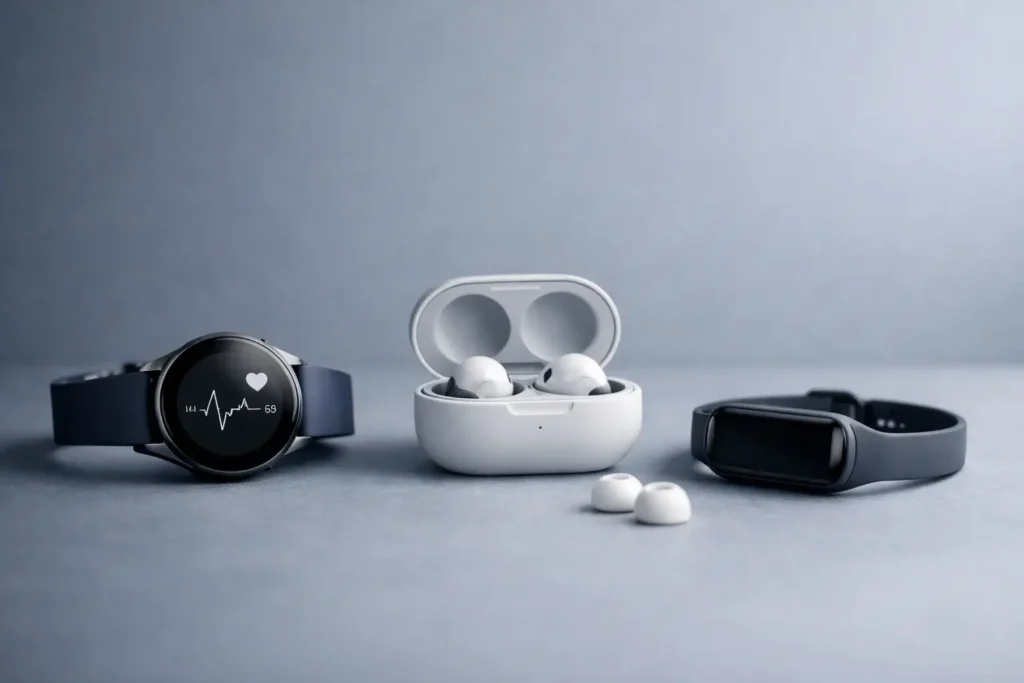
A new wearable can look perfectly considered on the product page and still be the wrong choice at home. The most common disappointments are rarely about design or specifications. They come from a watch that cannot pair with your phone, a health ring with an ongoing app requirement, or a charger that adds one more cable to an already crowded desk. This wearable compatibility buying guide starts with the details that determine whether a device will earn a place in your everyday routine.
Start with the device you already use
Compatibility begins with your phone, not the wearable. Confirm the operating system the wearable supports, then check the minimum software version required. A device may work with a recent phone while leaving out features on older software, such as advanced health readings, quick replies, location functions, or automatic backups.
Also consider how closely you want the wearable to connect to your phone. Some watches are designed as a natural extension of one phone ecosystem, handling calls, messages, app notifications, and wallet functions from the wrist. Others work across more than one operating system but offer a narrower experience. Neither approach is inherently better. The first favors integration; the second gives you more flexibility if you change phones later.
This distinction matters most for people who expect a watch to replace small phone tasks. If you mainly want step counts, sleep trends, timers, and exercise tracking, broad compatibility may be enough. If you want to answer messages, use navigation, control smart-home devices, or take calls without reaching for your phone, check each feature individually instead of relying on the word “compatible.”
Check the companion app, not only the product page
Every connected wearable relies on a companion app. Before buying, look at what that app controls: health history, workout settings, notifications, firmware updates, device location, and subscription options. A clear app is part of the product experience, especially for a device you will wear every day.
Pay attention to account requirements, cloud syncing, and data export. If your fitness coach, workplace wellness program, or existing health platform uses a particular service, make sure your new device can share the information you need. Syncing is not always automatic, and two devices can measure the same activity while presenting the data in entirely different ways.
Choose the wearable category for the job
“Wearable” covers products with very different strengths. Buying the most feature-packed option can be unnecessary if a simpler form suits your routine better.
A smartwatch is the most versatile choice for notifications, calls, navigation, workout modes, and quick controls. It is also the most demanding category for charging and phone integration. A fitness band is lighter, more discreet, and often better for those who want activity and sleep tracking without a screen full of alerts. A smart ring is particularly appealing for overnight wear and low-profile health tracking, but it may not offer live workout feedback or phone-like convenience. Wireless earbuds add a wearable layer of their own, with features such as call controls, noise management, and device switching.
Think about the moments you want the device to disappear. For sleep, a thin band or ring may feel more natural than a large watch case. For running outdoors, a screen, physical buttons, and accurate location tracking can be worth the added size. For meetings and travel, earbuds with dependable multipoint pairing may be more useful than another screen on your wrist.
Fit is a compatibility question, too
A wearable is only useful when it is comfortable enough to wear consistently. Wrist size, case depth, sensor placement, and band material all affect whether that happens.
For watches and bands, check the case dimensions rather than judging size from photos. A large display can be useful for maps and training metrics, yet it may catch on a shirt cuff or feel top-heavy during sleep. Smaller cases often suit narrower wrists, but battery capacity and screen readability can vary by size. If two sizes are available, compare their stated battery estimates and not just their appearance.
Band material deserves the same attention. Fluoroelastomer and silicone are practical for workouts and frequent cleaning. Nylon can be lighter for daily wear. Leather and metal bring a more tailored look but may be less suitable for swimming, heat, or intense training. If you have sensitive skin, look for clear information on materials, coatings, and clasp construction.
Rings require more patience. Finger size can change with heat, exercise, travel, and time of day. A sizing kit, when available, is more reliable than converting your usual jewelry size. The ring should sit securely enough for its sensors to maintain contact, without becoming uncomfortable when your hands swell.
Do not assume accessories are universal
Bands, charging cradles, screen protectors, and cases are model-specific more often than shoppers expect. A band may use the same width as another model but have a different connector. A charging puck may look familiar while using a different alignment or power standard.
If you are choosing between generations of a device, factor in the accessories you already own. Reusing a preferred band or travel charger can make a slightly older model the better fit. Conversely, a newer design may justify a fresh start if it improves comfort, charging, or durability in a meaningful way.
Match charging to your real routine
Battery life is not a contest of headline numbers. It is a question of whether the charging pattern fits your day.
A watch that needs frequent charging can work well if you have a predictable desk routine or charge while getting ready in the morning. It can be less convenient if you travel often, sleep-track every night, or dislike carrying proprietary cables. A device that lasts several days may be easier to live with even if it has a smaller screen or fewer interactive features.
Look beyond the claimed maximum battery life. Always-on displays, location tracking, cellular use, music playback, and frequent workout sessions can reduce it substantially. For rings and bands, consider whether charging requires removing the device for a short daily window or a longer interval every few days. For earbuds, check the case charging method as well as the listening time.
A shared charging setup can reduce friction. If a wearable uses a standard cable connection or fits into the charging arrangement you already travel with, it is more likely to stay powered. The best charging system is the one you will not have to think about.
Consider regional and cellular details before checkout
For shoppers in the UAE and across the Gulf, regional compatibility can affect cellular-enabled watches, emergency functions, language settings, voice features, and warranty availability. A cellular watch is only useful on a supported local carrier plan, and availability can differ by model, size, and market version.
If you are considering a cellular model, confirm that it supports the networks you use and that its activation process is available where you live. If you mainly carry your phone, a non-cellular model may provide the same health and notification experience with less complexity and a lower cost.
Travel adds another layer. GPS, offline music, contactless functions, and roaming behavior vary by device and region. For frequent travel between the UAE, Oman, Kuwait, Qatar, or Egypt, it is worth checking which features continue to work without your usual phone connection. A device that handles core workout tracking offline can be a more dependable companion than one built around constant connectivity.
Be realistic about health and fitness features
Health features are compelling because they turn a small device into a daily record of sleep, movement, recovery, and training. But measurements are not interchangeable. One device may excel at running metrics, another at sleep patterns, and another at passive recovery trends. More sensors do not automatically mean more useful insight.
Choose the metrics you will actually use. A runner may value location accuracy, pace visibility, and button controls. Someone focused on sleep may care more about comfort, battery life, and trends over several weeks. For strength training, workout detection can be helpful, but manual editing and clear exercise records may matter more.
Wearables can support awareness, not replace professional medical advice. Treat unusual readings as a reason to pay attention and seek appropriate guidance, rather than as a diagnosis. This is particularly relevant for devices that present advanced health alerts in an especially confident visual language.
A final check before you choose
Before placing a wearable in your bag, confirm five practical points: phone and software support, feature availability in your region, comfort for the hours you plan to wear it, charging habits, and the companion app’s role in your routine. Then give design its proper place. A thoughtfully chosen finish, band, or case color matters because this is a product you will see and touch every day.
The right wearable should feel less like another device to manage and more like a well-chosen daily object: useful when you need it, quiet when you do not, and compatible with the life you already have.
