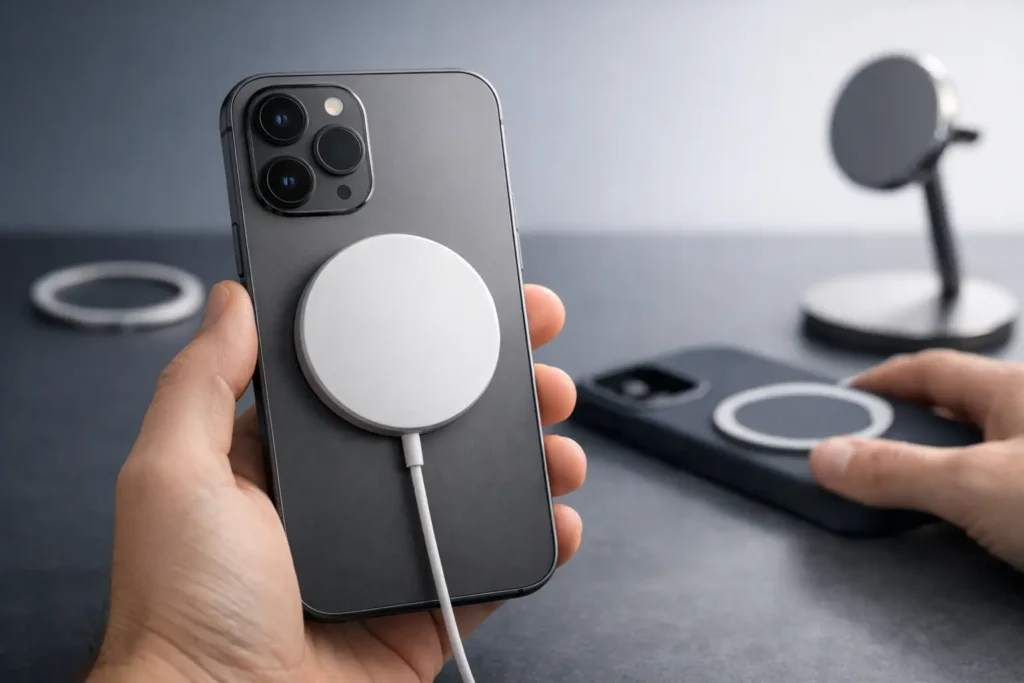
A magnetic accessory can attach firmly to an iPhone and still not deliver full MagSafe charging. To learn how to verify MagSafe compatibility, check the phone model first, then confirm what the accessory actually supports: magnetic alignment, Qi wireless charging, certified MagSafe charging, or Qi2.
That distinction matters when choosing a case, charger, wallet, or power bank. “MagSafe compatible” is often accurate, but it does not always mean the product has the same charging behavior as an Apple-certified MagSafe accessory.
Is your iPhone MagSafe compatible?
An iPhone must have the MagSafe magnetic array built into its back to work properly with MagSafe accessories. Most iPhone models from the iPhone 12 onward include it, but the model name matters.
The following iPhones have MagSafe:
- iPhone 12, iPhone 12 mini, iPhone 12 Pro, and iPhone 12 Pro Max
- Every iPhone 13, iPhone 14, and iPhone 15 model
- Most iPhone 16 models
Check Apple’s technical specifications for the exact model before buying an accessory. This is particularly useful with newer or lower-cost models, where wireless charging support may be present without MagSafe magnets.
For example, an iPhone may charge on a standard Qi pad but not snap into the centered position required by a magnetic charger or battery pack. The iPhone 16e is an example of why this check is worthwhile: it supports wireless charging but does not include MagSafe.
The simplest physical check is to place a known MagSafe accessory against the back of the bare phone. A compatible iPhone will align in one defined position, with a noticeable magnetic hold. This confirms the magnetic array, not the accessory’s charging certification.
How to verify MagSafe compatibility for a case
A case can be thin enough for wireless charging and still interfere with magnetic accessories. Verify that the case specifically states it has built-in MagSafe magnets or a magnetic ring designed for MagSafe accessories.
A case described only as “wireless charging compatible” should be treated as Qi-compatible, not necessarily MagSafe-compatible. It may allow a charging pad to work, while offering little or no grip for a magnetic charger, wallet, or power bank.
Look for clear product language such as “built-in magnets,” “MagSafe compatible,” or “works with MagSafe accessories.” A good listing should identify whether the case supports charging, attachment, or both. Product photos can help, but the written specification is more reliable than an image of a charger attached to a case.
After fitting the case, test the hold with the accessory you use most. A charger should sit centered without sliding. A power bank should remain attached when the phone is lifted normally. A wallet should feel secure, though magnetic wallets are best kept away from cards with magnetic stripes.
Case thickness is a trade-off. A more protective case can add distance between the phone and charger, which may reduce charging efficiency or create extra heat. A case with a properly positioned magnetic ring usually performs better than a thick case that simply allows wireless charging to pass through.
Is “MagSafe compatible” the same as certified MagSafe?
No. “MagSafe compatible” usually means an accessory uses magnets positioned to attach to a MagSafe iPhone. It does not automatically mean the accessory is Apple-certified or capable of the highest available MagSafe charging rate.
This wording is common with cases, stands, wallets, car mounts, and power banks. For many of these products, magnetic alignment is the main function. Certification may be less relevant for a wallet than for a charger, since a wallet does not transfer power.
For charging accessories, check whether the product states one of the following:
- MagSafe certified or Made for MagSafe
- Qi2 certified
- Magnetic wireless charging, with a stated wattage
- MagSafe compatible, with a stated wattage
These terms are not interchangeable. A certified MagSafe charger is designed to work with Apple’s MagSafe system. A Qi2-certified charger uses a newer magnetic wireless charging standard that supports compatible devices. A generic magnetic charger may attach securely but charge at a lower rate.
Do not rely on the circular charging animation alone. Some non-certified magnetic chargers can trigger a familiar-looking screen response or simply hold the phone in the correct position. That visual cue confirms that charging has started, not the charger’s certification or maximum output.
How to verify MagSafe compatibility for a charger or power bank
Start with the product’s listed charging output. A power bank can have a 10,000 mAh battery capacity while offering different wireless charging rates depending on its charging standard, temperature, phone model, and power level.
The stated wattage is the useful number. If a product says “magnetic wireless charging” but does not specify a wireless output, assume less until the manufacturer confirms otherwise. If it lists 5W, 7.5W, 10W, or 15W, that figure describes the maximum supported wireless output under the product’s stated conditions, not a guaranteed rate at every moment.
Next, separate the attachment test from the charging test. Attach the power bank to the bare phone or to a MagSafe-compatible case. It should center itself with the camera area clear and remain stable while the phone is in normal use. Then check that the phone begins charging and remains charging for several minutes.
If charging starts and stops, remove the case and try again. Misalignment, a thick case, heat, low battery in the power bank, or an uneven magnetic ring can all affect performance. Charging may also slow when the phone is warm, when it is being used heavily, or when the battery is near full.
Sultão’s Magnetic Power Bank Ultra Slim is described as MagSafe compatible and has a 10,000 mAh capacity. As with any magnetic power bank, confirm your iPhone model and case setup before treating magnetic attachment as proof of a particular charging rate.
Can an Android phone use MagSafe accessories?
Some Android phones can use certain MagSafe-style accessories, but the result depends on both magnets and wireless charging hardware. A magnetic ring case can provide attachment, while Qi wireless charging determines whether a charger can deliver power.
A phone without built-in MagSafe magnets may attach through a compatible case or adhesive ring. This can work well for stands, grips, wallets, and some power banks. It does not make the phone MagSafe-certified, and camera placement or coil position can prevent reliable charging.
For an Android phone, verify three separate details: the phone supports Qi wireless charging, the case or ring aligns the accessory correctly, and the charger supports the phone’s wireless charging standard. Test with the case installed, because that is how the accessory will be used day to day.
What should you check before you buy?
Read the specifications with your own setup in mind. The right accessory depends on whether you need secure attachment, wireless charging, faster charging, or a combination of all three.
A magnetic wallet only needs dependable alignment. A bedside charger needs stable placement and a suitable charging standard. A power bank needs magnetic hold, wireless output, battery capacity, and a profile that suits how you carry your phone.
If a listing uses broad terms, look for the model compatibility list and the wireless wattage. When those details are missing, the product may still be useful, but its performance is harder to predict. Clear specifications are especially valuable when your iPhone is inside a protective case.
The practical test is simple: confirm the phone model, verify the case has magnets, and read the accessory’s charging standard and wattage. Once those three details match, MagSafe becomes less about a label and more about an accessory that stays in place and works as expected.
