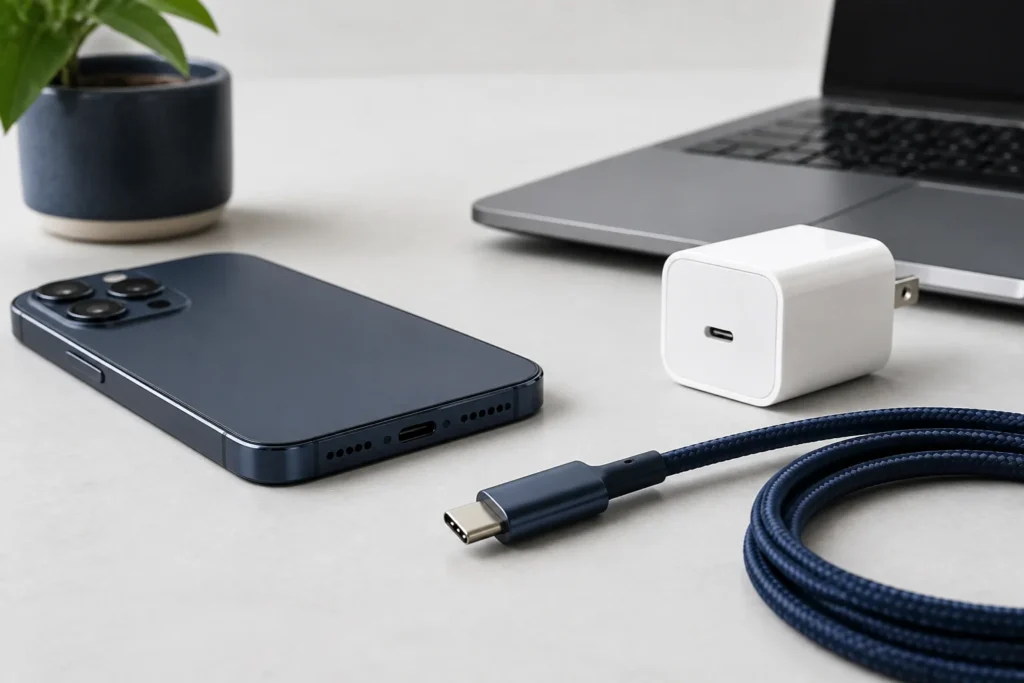
A charger can fit your phone and still charge it slowly. This phone charging standards guide explains the standards behind the port, cable, power adapter, and wireless pad so you can buy the right combination rather than the highest wattage on the box.
For most current phones, the practical shortlist is simple: USB-C Power Delivery for wired charging, PPS for certain Android fast-charge modes, and Qi2 or MagSafe-compatible magnetic charging for supported phones. The final speed is set by the phone, not the charger alone.
What does USB-C actually tell you?
USB-C tells you the shape of the connector. It does not tell you how fast a phone will charge.
A USB-C port may support basic 5W charging, USB Power Delivery, high-speed data, video output, or a combination of these features. Two cables with identical USB-C ends can also have very different capabilities. One may be suitable for a phone at 20W, while another can support a laptop at 100W or more.
This distinction matters when replacing an older charger. A USB-C socket is a useful starting point, but the label should also mention the charging protocol and its output levels. Look for USB PD or Power Delivery when buying a general-purpose wired charger for a modern phone.
USB-C has become the common choice because one well-chosen charger can serve a phone, tablet, headphones, and many laptops. It does not make every device charge at the same rate. Each device requests a level of power it is designed to accept.
Which wired charging standard should you choose?
USB Power Delivery, usually written as USB PD, is the most broadly useful standard for current phones. It allows the charger and device to negotiate voltage and current safely instead of forcing one fixed output.
A USB PD charger can provide several power levels. A phone may draw 18W, 20W, 25W, or another supported level, while a tablet may draw more from the same adapter. Connecting a 65W charger does not push 65W into a phone. The phone takes only the power its charging system requests.
What is PPS charging?
Programmable Power Supply, or PPS, is an optional part of USB PD. It allows the charger to adjust voltage in smaller steps during charging. Many Android phones use PPS for their named fast-charging modes.
If your phone specifies a 25W, 45W, or similar fast-charge mode, check whether it requires USB PD PPS. A standard USB PD charger may still charge the phone well, but it may not reach that model’s highest advertised wired rate. The phone maker’s specifications remain the deciding reference.
PPS can also help manage heat because it gives the phone more control over the power it receives. It is not a guarantee of a cooler phone. Ambient temperature, case thickness, battery level, and active use all affect charging temperature.
What about Quick Charge and other older standards?
Quick Charge and other proprietary standards are still found on older phones and accessories. Many current multiport chargers support them alongside USB PD, but USB PD is the better default for a new charger.
Compatibility is usually graceful rather than absolute. A charger and phone without a shared fast-charge protocol normally fall back to a lower safe speed. That is why a phone may charge, yet feel unexpectedly slow with a cable or adapter borrowed from another device.
How many watts does your phone need?
Choose a charger that meets your phone’s supported maximum, then add headroom only if you will charge other devices. More wattage does not make a phone exceed its own limit.
For a phone-only setup, a quality 20W to 30W USB PD charger covers many current models. A 45W or 65W charger makes more sense when one adapter will also charge a tablet or compact laptop. With multiport chargers, read the shared-output rating carefully. A charger rated at 65W may not deliver 65W from every port at the same time.
The charger label should show output profiles, not only a large maximum number. For example, a USB-C port marked with 5V, 9V, 12V, 15V, and 20V profiles gives a clearer picture of its range. If PPS is included, it should be stated separately.
The best purchase is often the smallest charger that covers your actual devices. A higher-capacity model can be useful, but it may be larger, warmer under load, and less convenient for a daily bag.
Does the cable affect charging speed?
Yes. The cable is part of the charging system and can limit power even when the phone and charger support a faster standard.
Most phone charging needs are covered by a reputable USB-C cable rated for 3A. Higher-power USB-C charging can require a 5A cable with an electronic marker, often called an e-marked cable. If you are charging only a phone, an expensive high-wattage cable is not automatically better. Its value depends on whether you also use it with a laptop or high-power power bank.
Cable length matters as well. A longer cable can be convenient by a bed or desk, but quality becomes more important because resistance rises with length. Avoid cables with loose connectors, bent strain relief, exposed wiring, or intermittent charging. These are reliability concerns, not merely cosmetic ones.
For older iPhones with a Lightning port, the cable must have the correct connector on the phone end. A USB-C to Lightning cable paired with USB PD is the relevant setup for supported fast charging. Newer USB-C iPhones use USB-C on both ends.
Is Qi2 better than ordinary wireless charging?
Qi2 is the current magnetic wireless charging standard to look for when your phone supports it. It aligns the phone and charger magnetically, which helps position the charging coils correctly.
Poor alignment is one of the main reasons wireless charging feels slow or inconsistent. A magnetic connection reduces that guesswork. Qi2’s Magnetic Power Profile supports up to 15W under the standard, though the actual speed still depends on the phone, charger, cable, adapter, and temperature.
MagSafe-compatible accessories can be useful for iPhones and certain cases, but the wording deserves attention. “MagSafe compatible” usually describes magnetic attachment. It does not always mean the accessory is certified for every MagSafe charging behavior or output level.
Wireless charging is ideal for a desk, bedside table, or short top-up. Wired charging is usually the better choice when time is limited, when using navigation in the car, or when the phone is already warm. Every wireless system loses more energy as heat than a comparable wired setup.
How should you choose a power bank?
Choose a power bank by its usable outputs, watt-hour rating, and physical format, not only by its mAh figure. The mAh number is measured at the power bank’s internal battery voltage, so it does not equal the exact capacity delivered to your phone.
Watt-hours provide a better comparison across batteries. The calculation is voltage multiplied by amp-hours. A 10,000 mAh power bank with a typical 3.7V internal battery is about 37Wh before conversion losses. Actual delivered energy is lower because voltage conversion creates heat.
For travel, check the watt-hour rating against your airline’s published limit before packing. Do not rely on a general claim that a power bank is approved for every airline or route.
A magnetic power bank offers a particularly tidy option for compatible phones. It is useful for calls, maps, and short charging sessions without a cable hanging from the bottom of the phone. Toko’s own Sultão Magnetic Power Bank Ultra Slim is one example: 10,000 mAh in an 8.5 mm aluminium body, a 20W USB-C port and a magnetic wireless face. Our review covers what that delivers in practice, including the trade-off between wireless convenience and cable speed.
What is the safest everyday charging setup?
Use a certified or reputable USB PD charger, a cable rated for the power you need, and a charging surface that can release heat. This is more useful than chasing the largest wattage number.
Keep the phone out of direct sun while charging, especially in a parked car or beside a window. Remove a thick insulating case if the phone repeatedly becomes hot during wireless charging. Avoid covering a power bank or wall charger with bedding, clothing, or other materials that trap heat.
It is also sensible to separate charging from intensive tasks when possible. Gaming, video recording, navigation, and mobile hotspot use create heat while the battery is trying to charge. The phone may reduce charging speed to protect the battery, even with an excellent charger.
A good charging setup should disappear into your routine. Match the standard to your phone, match the cable to the power, and choose wired or wireless charging according to the moment. The result is a simpler kit that works reliably at home, at work, and on the move.
