A phone can feel limited long before its battery or camera does. To choose phone storage well, start with what stays on your device: photos, videos, apps, downloads, messages, and work files. The right capacity is the one that leaves comfortable room after two or three years of normal use.
How should you choose phone storage?
Choose storage based on your heaviest habit, not your average day. A person who takes a few photos each week and streams music needs a different phone from someone who records 4K video, saves travel shows for flights, or keeps client files available offline.
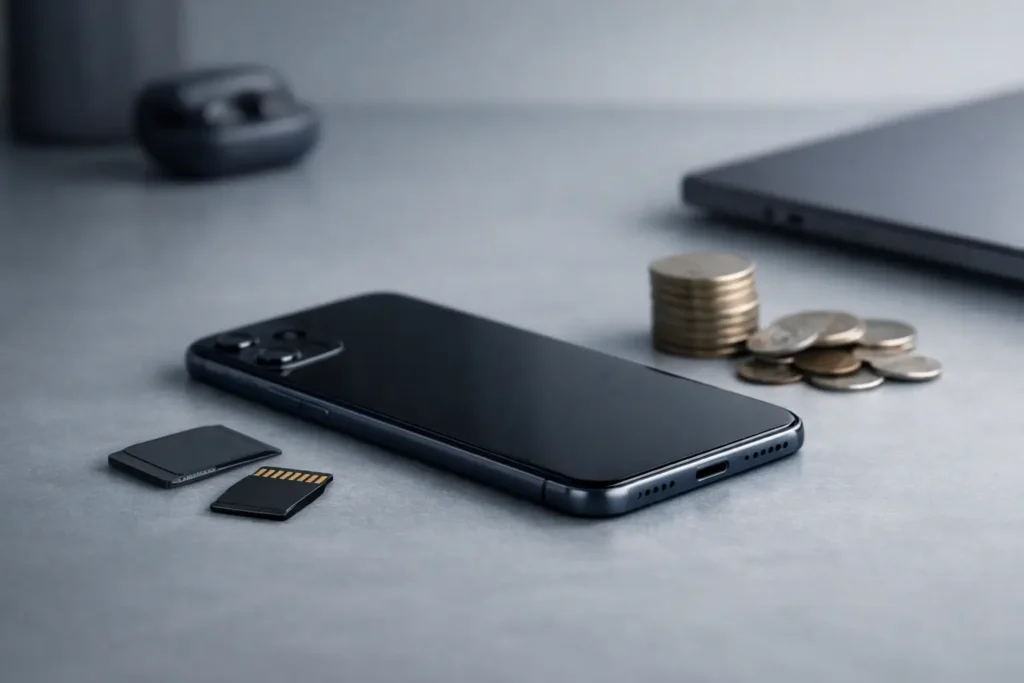
Storage is fixed on many current phones. If a model does not support a microSD card, the capacity selected at checkout is the capacity you will live with. Cloud storage can reduce pressure, but it does not replace local space when you need files offline, have limited connectivity, or prefer to keep your photo library on the phone.
A useful rule is to avoid filling a new phone beyond about half its stated capacity. That margin gives the operating system room for updates, apps room for cached data, and you room to use the camera without constantly managing files. A 128 GB phone does not provide a full 128 GB for personal content because the system and preinstalled software take part of that space.
What takes up the most phone storage?
Photos and video are usually the largest category, especially on newer phones with high-resolution sensors. A short 4K clip can use far more space than dozens of still images. Portrait modes, motion photos, slow-motion video, and high-efficiency formats all change the calculation, but regular video recording remains the main reason storage disappears quickly.
Apps can also become substantial over time. Messaging apps keep image and video attachments. Social platforms retain caches. Games may need several gigabytes before optional maps, graphics packs, or future updates are added. Downloaded playlists, podcasts, movies, and navigation maps are easy to forget because they work quietly in the background.
Check your current phone before choosing a replacement. Open its storage settings and look at the categories, not only the total used figure. If photos account for most of the space, more storage or a disciplined backup routine will help. If apps, downloads, and messages are the issue, deleting old downloads may show that a larger capacity is not necessary.
Is 128 GB enough for a phone?
For many people, 128 GB is enough when photos are backed up regularly and video is recorded selectively. It suits light to moderate users who stream rather than download most media, do not keep large games installed, and clear old files from time to time.
It becomes restrictive for people who record frequent video, travel with offline entertainment, use multiple work apps, or intend to keep the phone for several years. The issue is not that 128 GB is unusable. It is that the margin can become narrow once the phone has accumulated two years of messages, photos, app updates, and downloaded media.
Choose 128 GB when your current phone uses modest space and you already have a routine for backing up photos. It is a sensible capacity when the price difference to the next tier would be better spent on a better camera, longer battery life, or a more capable processor.
When is 256 GB the better choice?
For most buyers who want to keep a phone for three years or more, 256 GB is the balanced choice. It gives room for a growing camera roll, apps, offline media, and operating-system updates without making storage management a monthly task.
This capacity is particularly practical for urban professionals who use a phone for both work and personal life. Documents, scans, shared files, voice notes, messaging attachments, and photo libraries all accumulate. A 256 GB phone also provides a calmer experience for travelers who download maps, playlists, and entertainment before a trip.
The price premium should still be considered. If cloud backup is reliable for your needs and you rarely save video, the extra storage may sit unused. But if you have ever deleted photos during a vacation or removed an app just to install an update, 256 GB usually pays for its convenience over the life of the device.
Who should consider 512 GB or 1 TB?
Choose 512 GB or 1 TB when the phone is a serious capture and production tool. These capacities suit people who record frequent high-resolution video, edit content on-device, keep large photo libraries locally, or install demanding games and creative applications.
They also make sense for anyone who cannot rely on cloud access. A photographer transferring images to a phone, a consultant carrying presentations and files, or a frequent traveler may value local storage more than a casual user. The decision is about access as much as volume: files stored on the phone are available without a connection.
More storage does not improve camera quality, speed, or battery capacity by itself. It reduces the need to choose what to remove. If that freedom is not part of your routine, the highest capacity may be an expensive reserve rather than a useful feature.
Which phone storage profile sounds like you?
These four profiles offer a practical starting point:
- 128 GB: You take everyday photos, stream most media, use standard apps, and back up content regularly.
- 256 GB: You keep a growing photo library, download media for travel, use your phone for work, and expect to keep it for several years.
- 512 GB: You record frequent high-resolution video, keep large apps or games, or prefer extensive local access to files.
- 1 TB: You create video or photo content professionally, edit on-device, or need a large offline library available at all times.
These are not fixed rules. A light user with years of family photos may need 256 GB, while a heavy app user who stores everything in the cloud may be comfortable with 128 GB. Your present storage screen is more useful than any generic label.
Should cloud storage change your decision?
Cloud storage can make a smaller phone capacity workable, but it should not be the only plan. It depends on a dependable connection, enough cloud space, and settings that actually complete backups. It also does not always reduce local storage immediately, particularly when downloaded files, app caches, and recent photos remain on the device.
Use cloud storage for protection and access across devices. Choose phone storage for the content you want available now. This distinction matters when you are away from Wi-Fi, traveling, or searching for an older file at short notice.
Before buying, check whether your photo service keeps full-resolution files on the phone, whether your messaging apps automatically save media, and whether music or video downloads are set to high quality. A few settings can change your storage needs more than expected.
What should you check before buying?
Confirm the exact storage tier, whether the phone supports expandable storage, and how much space your current device uses. Then consider how long you plan to own the phone. Buying for the next three years is different from buying for the next twelve months.
Also compare storage with the rest of the device. A larger capacity is worthwhile only after the phone meets your needs for display size, camera system, battery, performance, and software support. Storage is one part of a considered purchase, not the entire decision.
The most comfortable choice is rarely the maximum capacity. It is the capacity that lets you take the photos, save the files, and install the apps you value without turning routine use into storage management.
