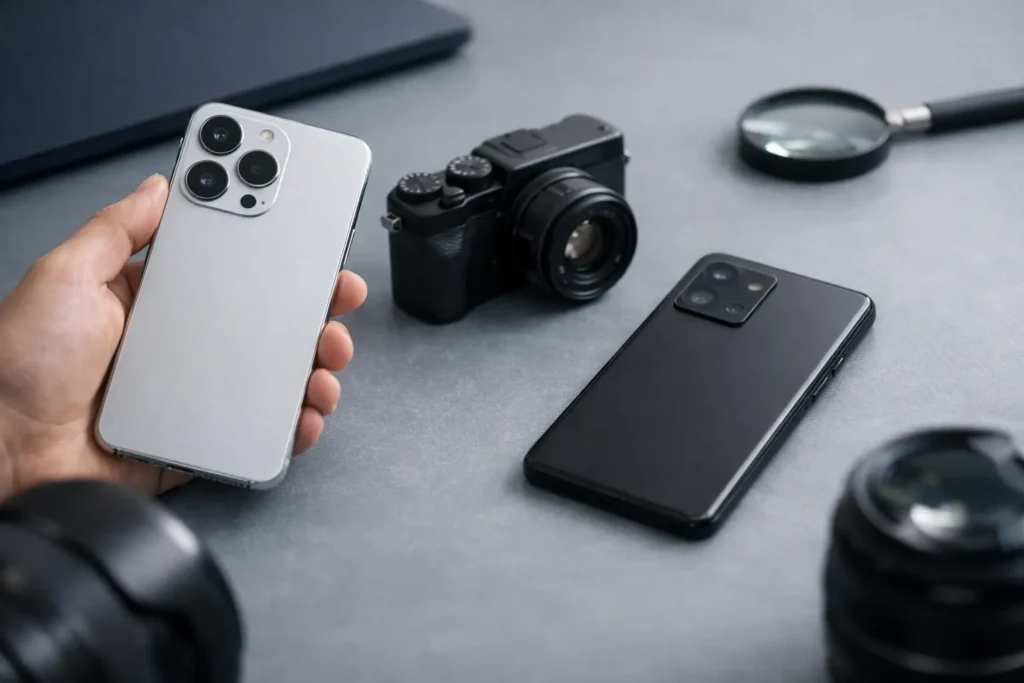
A camera specification sheet can make almost any phone look exceptional. Three lenses, a high megapixel figure, and a long list of video modes say very little about the photos you will take at dinner, on a weekend trip, or in bright Gulf daylight. Knowing how to compare smartphone cameras means looking past the headline numbers and judging how the system behaves as a whole.
The best camera is not necessarily the one with the most sensors. It is the one that suits the way you frame, share, and keep images. A traveler may value a convincing telephoto lens. A parent may care more about motion in indoor light. Someone creating short-form video may prioritize stabilization, audio, and natural skin tones.
How to Compare Smartphone Cameras Beyond Megapixels
Megapixels describe image resolution, not image quality. A 50-megapixel or 200-megapixel sensor can record fine detail in favorable light, but many phones combine neighboring pixels into one larger effective pixel for everyday shooting. The final image may be 12 or 24 megapixels, with better brightness and lower noise than a full-resolution capture.
Sensor size carries more weight. A larger sensor can gather more light, which helps preserve detail in shadows, reduce grain at night, and create more natural background separation at close range. Manufacturers present sensor dimensions in different ways, so direct comparison is not always simple. Still, when two phones have similar processing and lens quality, the larger main sensor usually has an advantage.
Also look at the aperture of the main lens. A lower f-number, such as f/1.7 rather than f/2.0, allows more light to reach the sensor. It can help after sunset, but it is not a guarantee of better images. Lens sharpness, sensor size, stabilization, and image processing matter just as much.
A useful rule is to treat the main camera as the foundation of the entire system. It is the lens you will use most often. A phone with an excellent main camera and modest supporting lenses will often feel more dependable than one with several weak cameras.
Read lens labels with care
Most camera phones use three useful perspectives: a standard wide lens, an ultra-wide lens for architecture and groups, and a telephoto lens for distant subjects. Each serves a distinct purpose.
Ultra-wide cameras are appealing for Dubai skylines, interiors, and expansive landscapes, but they often use smaller sensors. Check whether sample images retain detail near the edges, whether straight lines stay controlled, and whether colors match the main camera. An ultra-wide image that looks noticeably softer or cooler can interrupt a photo set.
Telephoto claims deserve closer inspection. Optical zoom uses a dedicated lens to magnify a scene. Digital zoom crops and enlarges the image from another camera. A phone may advertise a large zoom number while its true optical reach is much shorter. That does not make it unsuitable, but it changes expectations. For portraits, events, and travel, a dedicated telephoto camera with optical stabilization is usually more useful than a very high digital zoom figure.
Some phones use a folded, or periscope-style, telephoto design. This can provide longer optical reach without making the phone excessively thick. Its value depends on image quality at the focal lengths you actually use. A sharp 3x or 5x lens may be more practical than a headline-grabbing extreme zoom that works best only in strong daylight.
Image Processing Is Part of the Camera
Smartphone photography is computational photography. When you press the shutter, the phone may combine multiple frames, brighten shadows, reduce noise, sharpen edges, correct lens distortion, and adjust color. This processing is why two phones with similar hardware can produce very different results.
Look for consistency rather than spectacle. Some cameras produce bold contrast and saturated skies that look striking on a small screen. Others preserve more restrained color and leave room for editing. Neither approach is automatically better. The useful question is whether people, food, textiles, and interiors look believable to you.
Skin tones are a particularly revealing test. Compare portraits taken outdoors, near a window, and under warm indoor lights. Watch for over-smoothing, gray shadows, or an orange cast. If you photograph gifts, meals, or product details, assess reds, browns, and metallic packaging as well. These colors can expose heavy-handed processing quickly.
Dynamic range matters in high-contrast scenes. In the UAE, a shaded face against a bright sky is a familiar challenge. A capable phone should hold detail in the face without turning the sky into a pale, textureless area. Be cautious of images that lift every shadow until they appear flat. Better processing maintains contrast while keeping important detail visible.
Test Low-Light Photos and Moving Subjects
Night mode is easy to market and difficult to judge from one dramatic cityscape. Ask how the camera handles ordinary low light: a restaurant table, a living room, a street after sunset, or a pet moving indoors. These are the scenes where a phone either feels effortless or becomes frustrating.
Examine detail at normal viewing size and at closer crop. Excessive noise reduction can make brick, hair, foliage, and fabric look like paint. Too much sharpening can leave bright outlines around objects. A good result has some texture, controlled grain, and colors that remain plausible.
Motion is equally important. A long exposure may create an attractive static night image, but it can blur people who move during the capture. Test a walking subject, a child, or a hand gesture in moderate indoor light. Fast and reliable autofocus, a sensible shutter speed, and effective stabilization often matter more than a dramatic night-mode label.
Portrait mode should be judged with the same restraint. The best systems separate a person from the background cleanly while handling hair, glasses, hands, and the edge of clothing with care. A natural portrait does not need a blurred background in every shot. It needs an option that looks convincing when you choose to use it.
Compare Video as a Separate Decision
A phone can take excellent still photos and deliver uneven video. If video matters to you, compare it on its own terms. Resolution is only one part of the result. Stabilization, exposure transitions, autofocus, color consistency across lenses, and microphone performance shape footage far more than a large 4K or 8K label.
Walk while filming in daylight, then move from a bright exterior into an interior. Does the image settle smoothly, or does brightness jump? Does focus stay on the subject? Does the ultra-wide lens look dramatically worse than the main camera? These tests reveal more than a short studio clip.
Frame rate is a creative choice. Standard 24 or 30 frames per second can look natural for everyday scenes. Sixty frames per second gives smoother motion and more flexibility for slow motion, though it may require more light. Higher-quality recording modes can also produce large files, so storage capacity matters if you regularly shoot long videos.
A Practical Way to Make the Comparison
Use the same scenes when comparing phones. Manufacturer galleries are useful for spotting features, but they are carefully selected. Independent samples are more revealing when they show matching shots from each device without heavy editing.
Before deciding, check these five situations:
- A daylight scene with fine detail, such as leaves, stone, or signage.
- A portrait in mixed light, with attention to skin tone and hair edges.
- An indoor photo of a moving subject.
- A night scene with bright signs and darker surroundings.
- A short walking video using the main and ultra-wide cameras.
View the images on a larger screen when possible. A photo can look crisp on a phone display yet show smeared detail, strange color, or missed focus when viewed more closely. Do not judge only the center of the frame. Inspect corners, shadows, and subjects near the edges.
Finally, consider the camera experience. Is the shutter responsive? Can you switch lenses quickly? Are manual controls or RAW files available if you want more editing latitude? A camera you can use confidently in the moment will produce more worthwhile images than a technically ambitious system that feels slow or unpredictable.
The right comparison ends with your own priorities, not a specification-sheet winner. Choose the phone whose main camera is consistently good, whose secondary lenses serve your habits, and whose images make you want to keep shooting.
